Company Toggles
Purpose/Overview
Company Toggles allow administrators to enable or disable specific features for the entire organization. This functionality provides flexibility to tailor the system to your company’s operational needs. It solves the problem of unnecessary complexity by letting you turn off features that are not relevant and activate those that improve efficiency. Intended for system administrators, this feature ensures better control, compliance, and customization of workflows.
Navigation Path:
To access this feature, go to: System Management > Administration > General > Company Toggles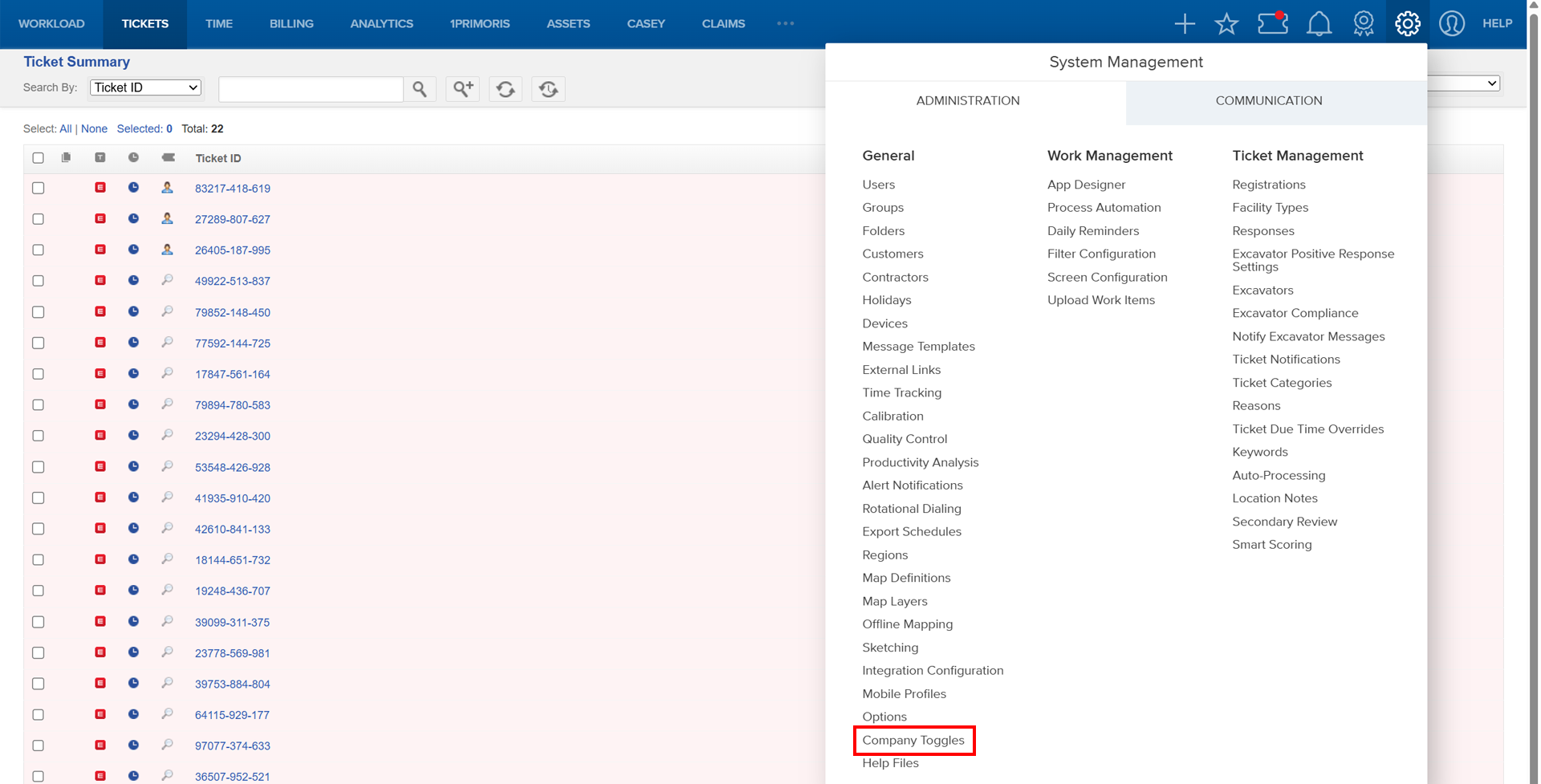
Things to Know:
Permissions: Only users with administrative rights can manage company toggles.
Known Caveats:
- If you do not see a particular toggle, contact your company administrator.
- Some toggles may impact multiple modules—review descriptions carefully before enabling/disabling.
Key Benefits/Use Cases:
Streamlined Operations: Enable only essential features to reduce clutter and improve user experience.
Compliance Control: Disable features that do not align with regulatory requirements, ensuring adherence to company policies.
Enhanced Productivity: Activate automation-related toggles to speed up repetitive tasks and improve efficiency.
How It Works:
Follow these steps to set up or enable toggles:
Navigate to System Management > Administration > General > Company Toggles.
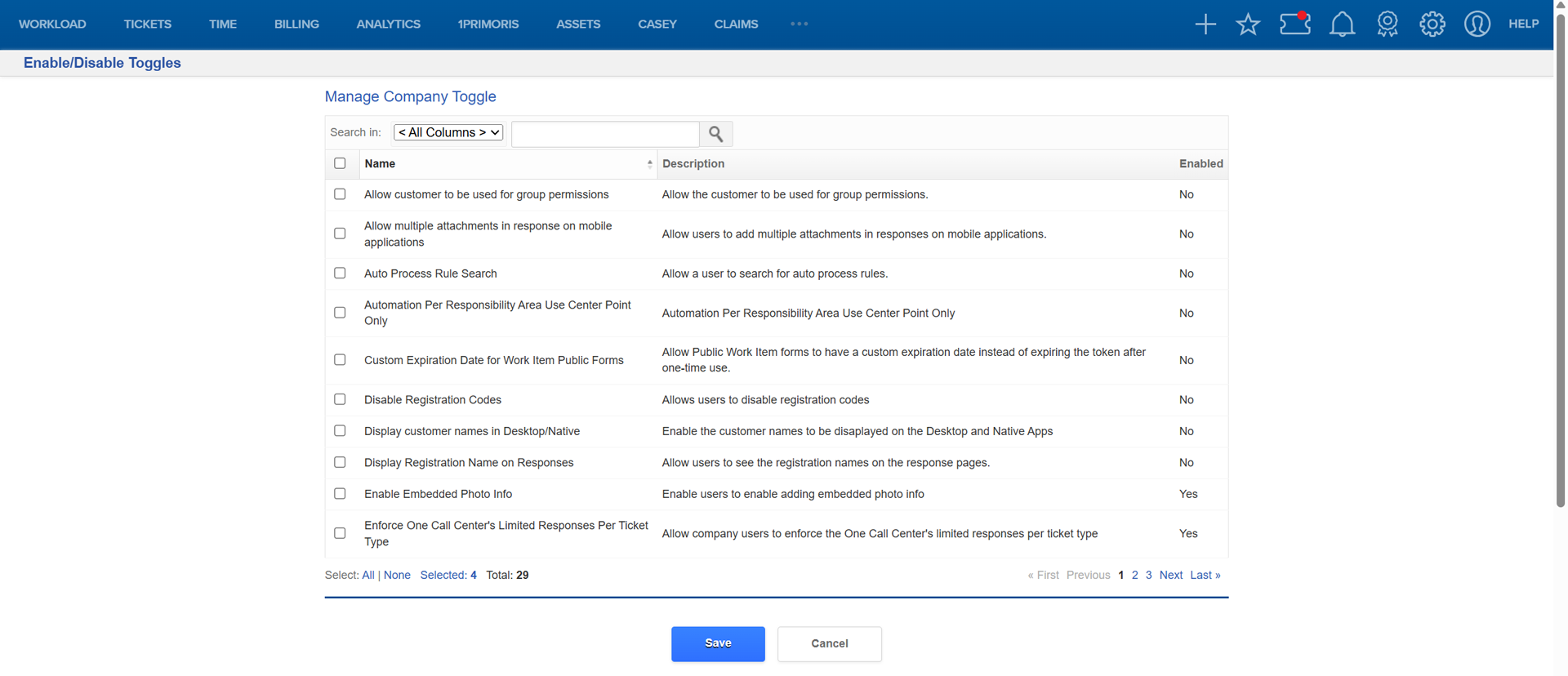
Select Enable Company Admin Toggle Management from the Enable/Disable Toggles screen.

Check the box next to the toggle name and Save to apply updates.
The Toggle History on the Enable/Disable Toggles screen lists all changes made.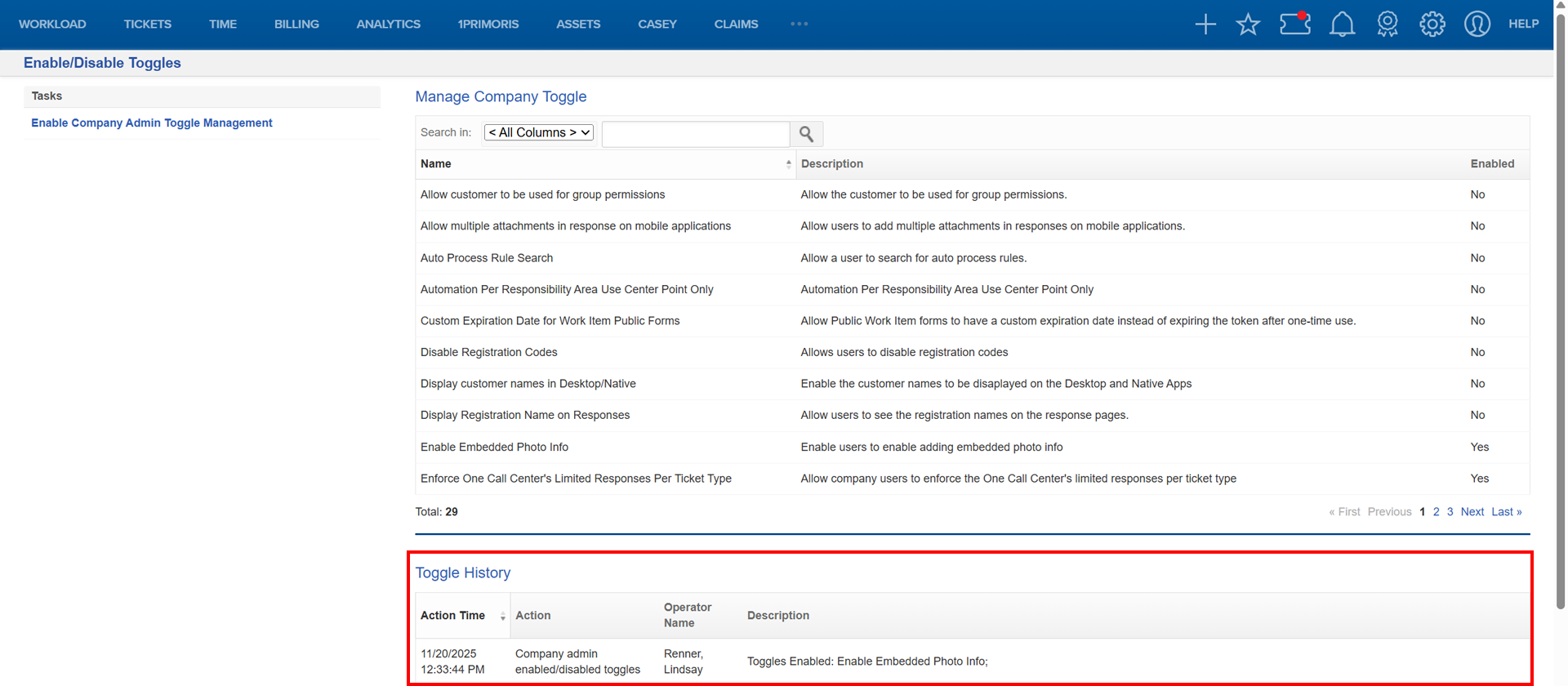
- Action Time: Timestamp of change
- Action: Enable or disable
- Operator Name: User who made the change
- Description: Toggles affected
FAQ/Troubleshooting:`
Q: I don’t see a toggle I need.
A: Contact your company administrator to confirm permissions or feature availability.
Q: Will enabling a toggle affect existing workflows?
A: Yes, some toggles may change system behavior. Review descriptions before enabling.
Q: Can I revert changes?
A: Yes, simply uncheck the toggle and click Save.
Questions? Contact us!

Was this article helpful?
That’s Great!
Thank you for your feedback
Sorry! We couldn't be helpful
Thank you for your feedback
Feedback sent
We appreciate your effort and will try to fix the article