Log In with Microsoft
Purpose/Overview
Navigation Path:
To access this feature, open the Irth Mobile app on your mobile device and select Continue with Microsoft.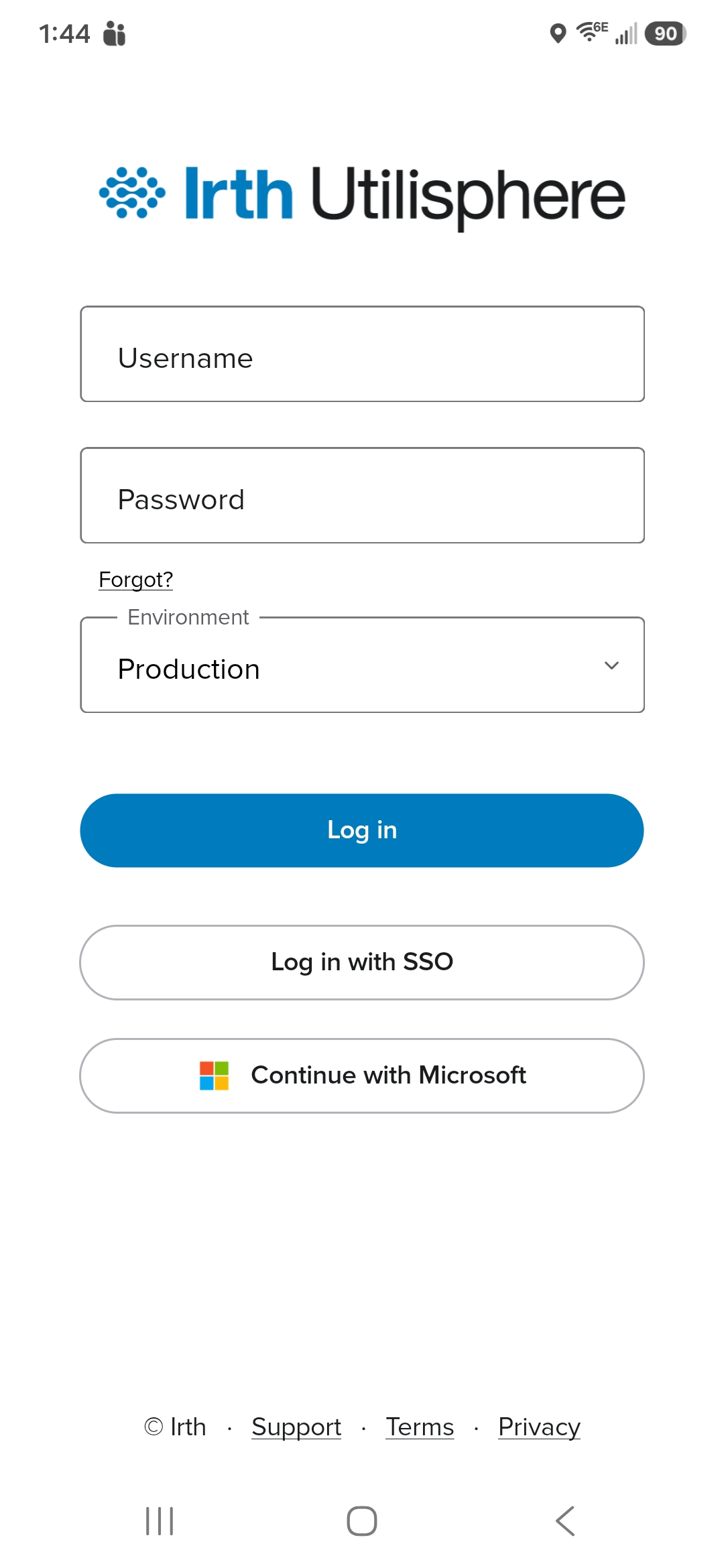
Things to Know:
- You must have a valid Microsoft account provided by your organization.
- Multi-factor authentication (MFA) may be required based on your company's security policies.
- An internet connection is required during the sign-in process.
- If this is your first time signing in, your administrator may need to verify that your account has access to Irth Mobile.
- You may be prompted to complete additional verification steps required by your organization.
Key Benefits/Use Cases:
Improved Security
- Uses your organization's existing Microsoft account security controls.
- Supports multi-factor authentication requirements.
- Reduces the need to manage additional credentials.
Simplified User Experience
Streamlined Account Management
- User access is managed through your organization's Microsoft account administration.
- Password policies and account management remain under your company's control.
- Changes to your Microsoft account automatically apply when signing in.
How It Works:
- Launch the Irth Mobile app.
- On the login screen, select Continue with Microsoft.
- Enter your company Microsoft email address.
- Select Next.
- Enter your Microsoft password.
- Complete any MFA verification if prompted.
- After successful authentication, you will be redirected back to the mobile application and automatically signed in.
Troubleshooting Sign-In Issues
Microsoft Sign-In Button Does Not Appear
Possible Cause: Your organization has not enabled Microsoft SAML authentication.
Resolution: Contact your company administrator or Irth support to verify that SAML authentication has been configured for your organization.
Unable to Authenticate
Possible Causes:
- Incorrect Microsoft credentials.
- Multi-factor authentication failed.
- Your account does not have access to the application.
- Your user account has not been configured correctly.
- Verify your Microsoft credentials by signing in to another Microsoft service.
- Complete any required MFA prompts.
- Contact your administrator to verify your account setup and access permissions.
Login Loop or Repeated Redirects
Possible Causes:
- Expired authentication session.
- Network connectivity issues.
Resolution:
- Close the mobile application completely.
- Reopen the application.
- Try signing in again using Continue with Microsoft.
- Verify that your device has an active internet connection.
Access Denied
Possible Cause:
Resolution:
FAQ/Troubleshooting:
Q: Can I still use a username and password?
A: Available sign-in options are determined by your organization's configuration. Contact your administrator if you are unsure which sign-in methods are available.
Q: Do I need a separate mobile application password?
A: No. When you select Continue with Microsoft, you use your existing Microsoft account credentials.
Q: Can I use the same Microsoft account for web and mobile access?
A: Yes. If your organization has enabled access, the same Microsoft account can be used across supported Irth applications.
Q: What happens if I change my Microsoft password?
A: Your new Microsoft password will be used the next time you sign in.
Q: Who should I contact if I cannot sign in?
A: Contact your organization's administrator first. If additional assistance is needed, contact Irth Support for further troubleshooting.
Questions? Contact us!

Was this article helpful?
That’s Great!
Thank you for your feedback
Sorry! We couldn't be helpful
Thank you for your feedback
Feedback sent
We appreciate your effort and will try to fix the article