Request Types and Internal Priority Mapping
Purpose/Overview
In this article, you will learn how Request Types from different 811 and One Call Centers are mapped to Internal Priorities in Digtix. Because call centers across regions use different request type names and ticket formats, this feature enables your organization to translate incoming locate requests into a consistent internal priority system. This helps ensure tickets are prioritized correctly, workflows remain efficient, and operational response is standardized, regardless of where the request originates. This feature is intended for Digtix administrators and operational teams who manage ticket intake, prioritization, and automation.
Navigation Path:
To access this feature, go to:
Digtix > Administration > Internal Priorities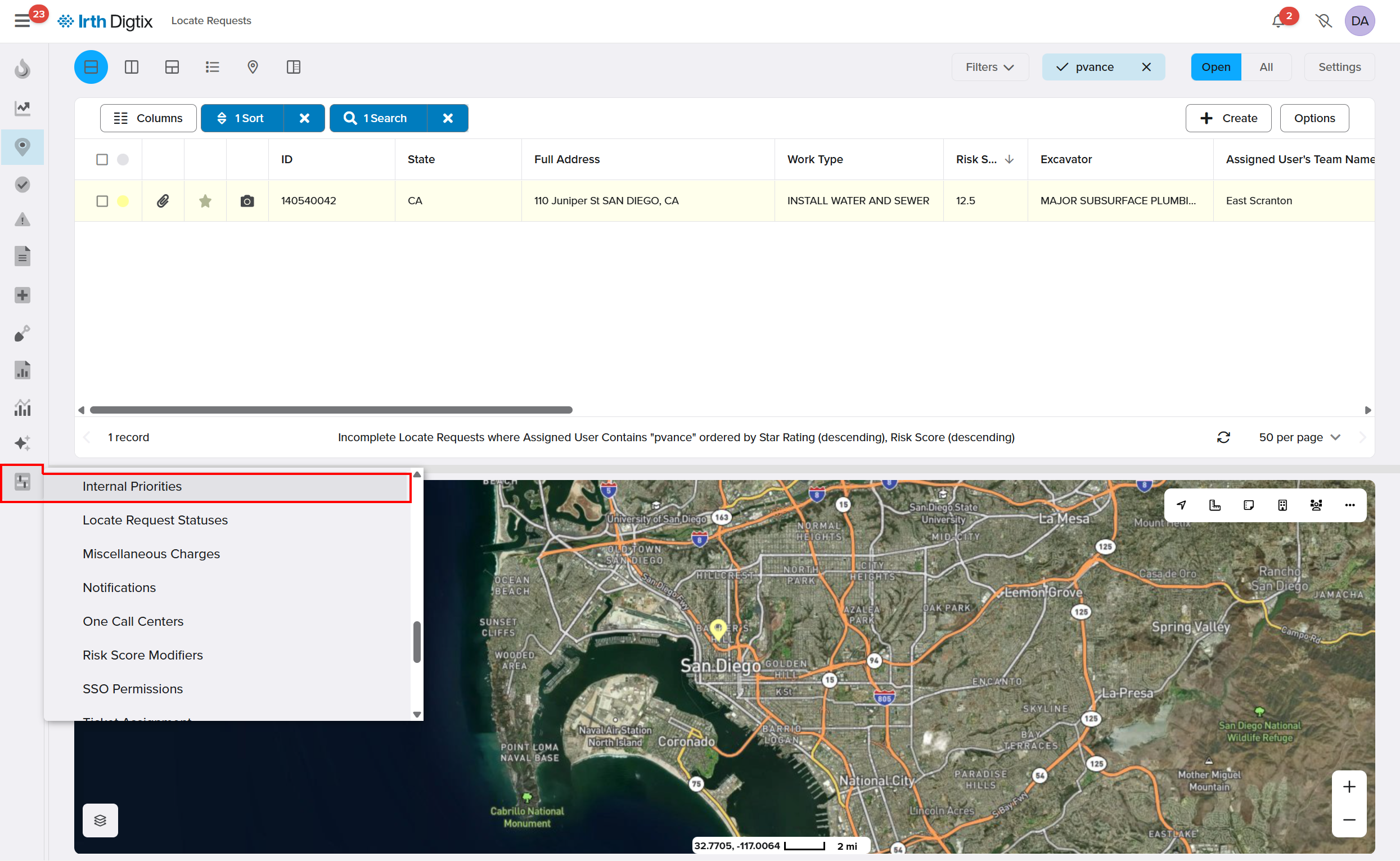
Digtix > Administration > One Call Centers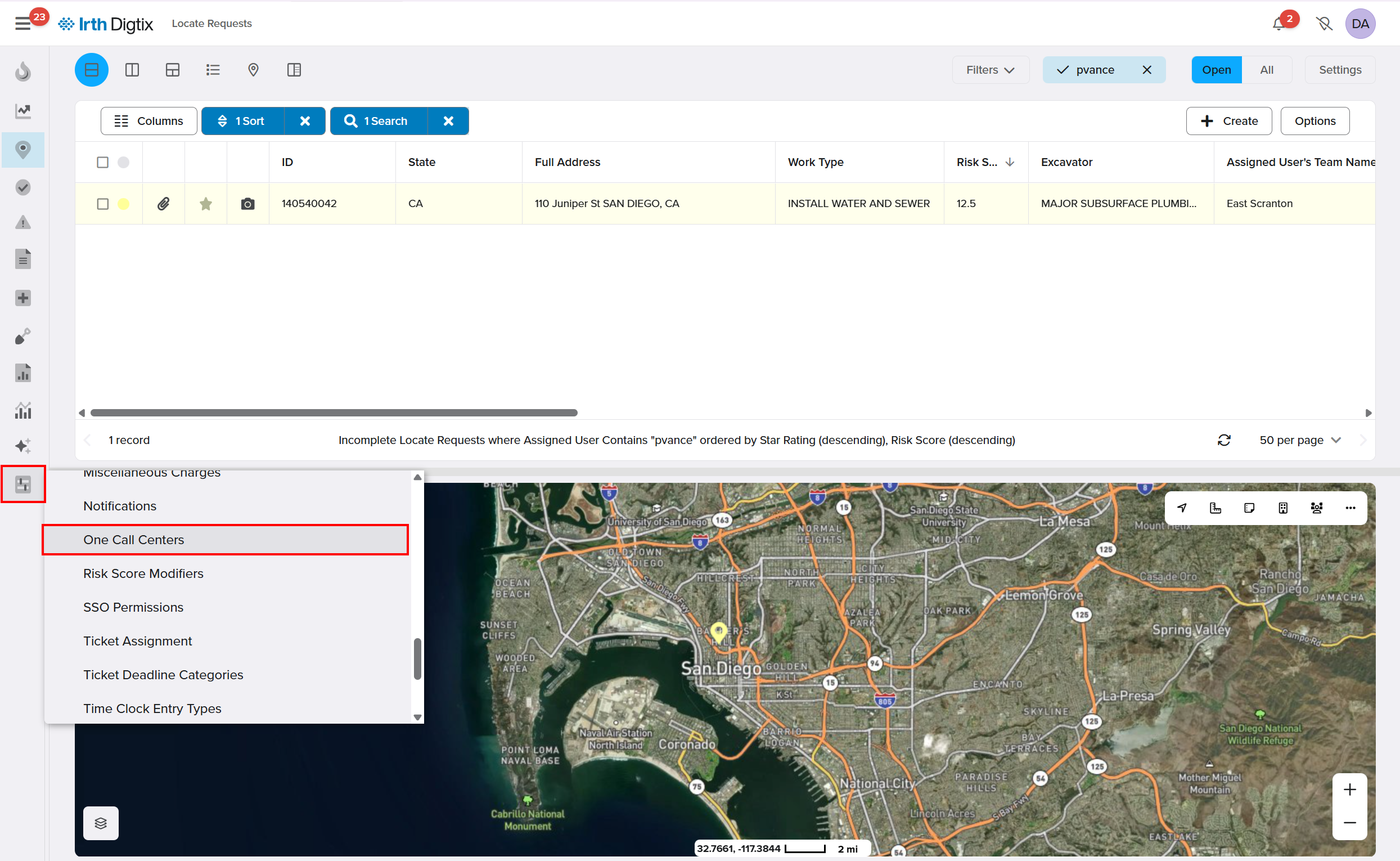
Things to Know:
- Permissions: Administrative permissions are required to configure Internal Priorities and OCC Priority Mappings.
- Terminology: Some states refer to Request Types as “Ticket Types.” In Digtix, the term Request Type is used, but both terms refer to the same concept.
- Call Center Variability: Request Types and ticket formats vary by state, province, and One Call Center.
- System Usage: Internal Priorities are used throughout Digtix, including work orders, incidents, follow‑ups, automation rules, alerts, and reporting.
Key Benefits/Use Cases:
Standardize Priority Across Regions: Translate hundreds of different call center Request Types into a single, consistent internal priority framework.
Ensure Proper Response Urgency: Make sure emergency and high‑priority locate requests receive appropriate attention regardless of how they are labeled by the originating call center.
Support Automation and Analytics: Use Internal Priorities to drive automated ticket assignment, alerts, dashboards, and reporting.
How It Works:
Understand Request Types
Every locate request received from an 811 or One Call Center includes a Request Type. Request Types indicate the nature or urgency of the request but vary widely by region and center. Examples include:
- Emergency
- 2FBD
- Routine
- Normal
- Design
Because these values differ across call centers and raw ticket formats, it can be difficult to directly compare priority without mapping.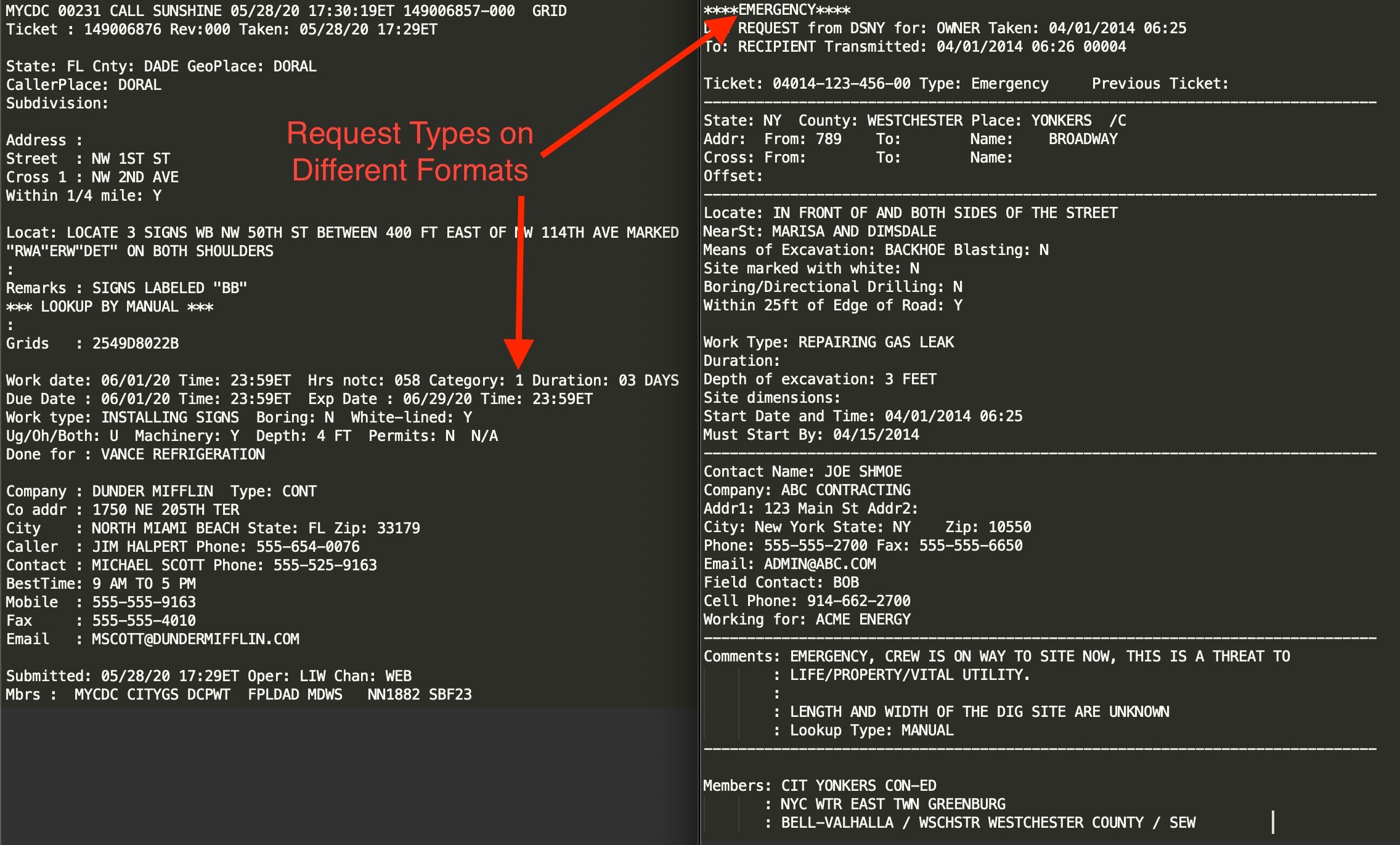
Configure Internal Priorities
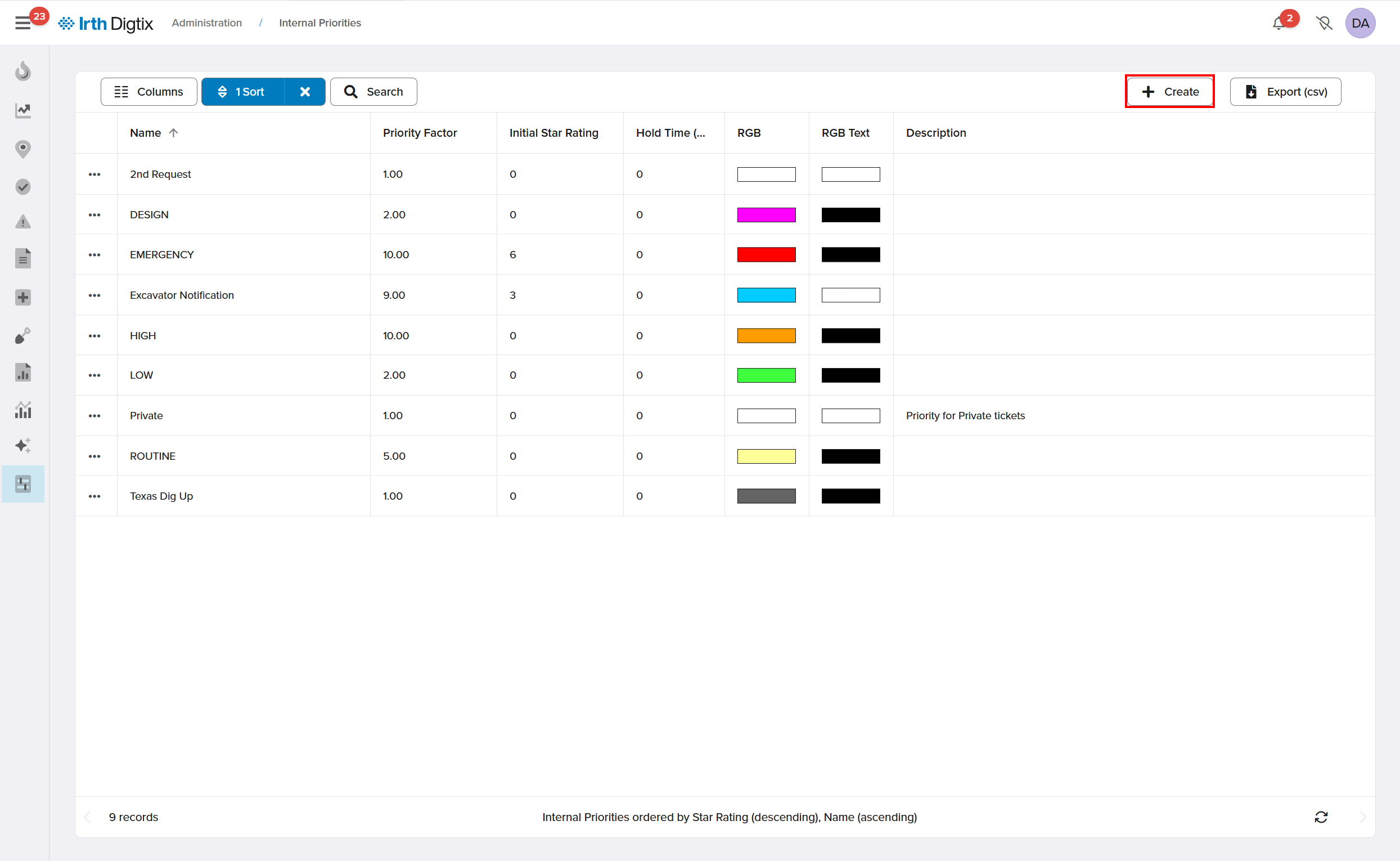
Internal Priorities represent your organization’s standardized urgency levels in Digtix. At a minimum, it’s recommended to define the following priorities:
- Emergency
- High
- Normal
- Low
To configure Internal Priorities:
- Navigate to Digtix > Administration > Internal Priorities.
- Create or modify priority levels to match your internal processes.
- Save your changes.
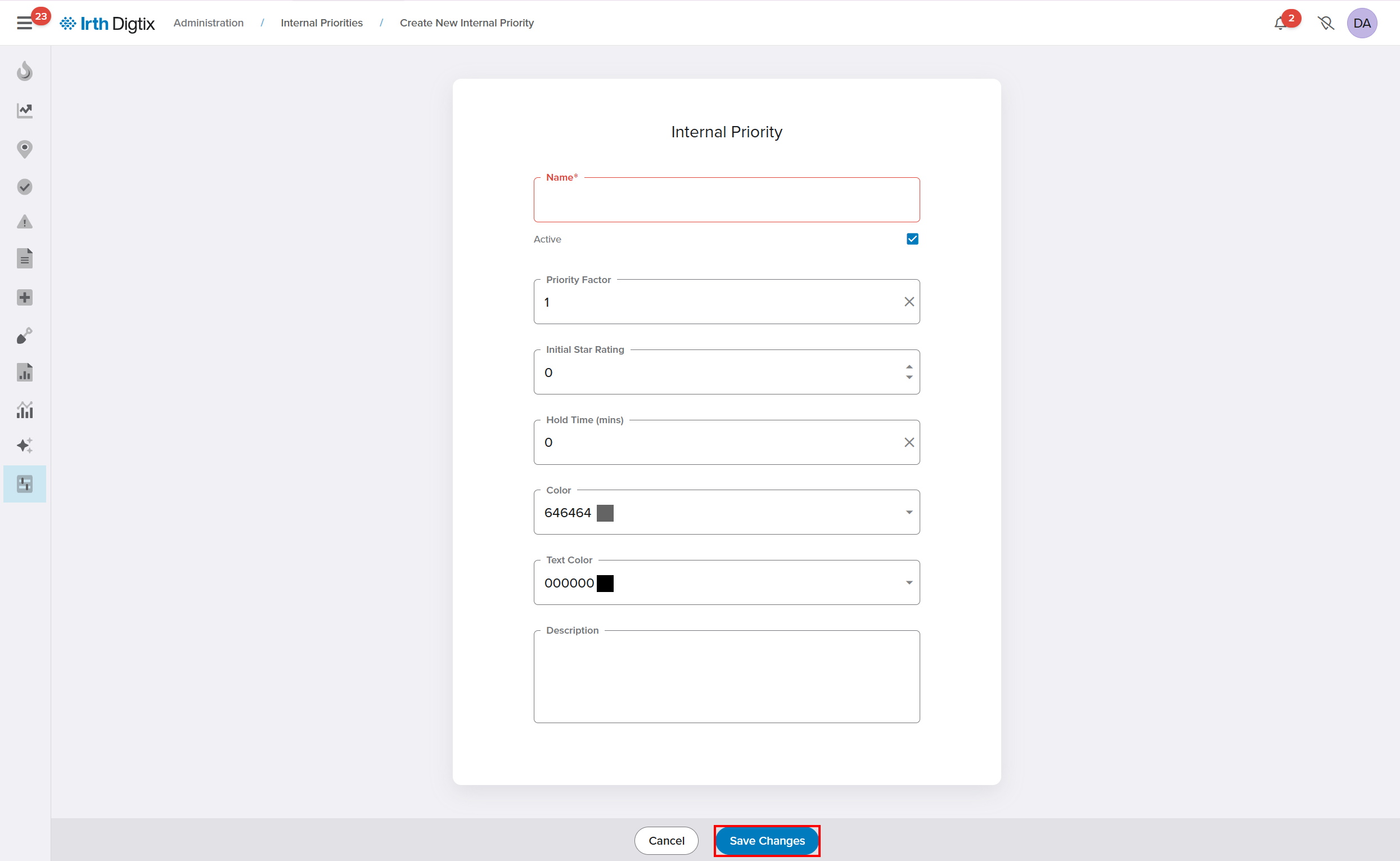
Map Request Types to Internal Priorities
Once Internal Priorities are defined, map incoming Request Types to them:
- Navigate to Digtix > Administration > One Call Centers > Priorities
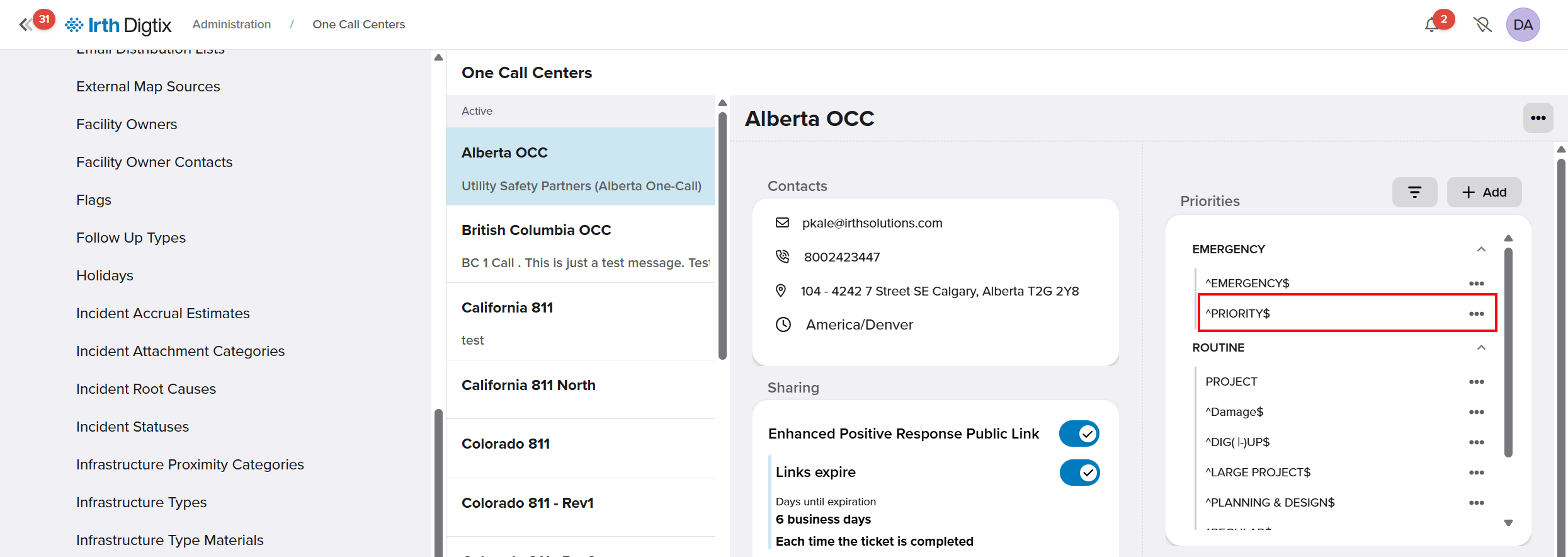
- Click the More (3 dots) icon and select Edit.
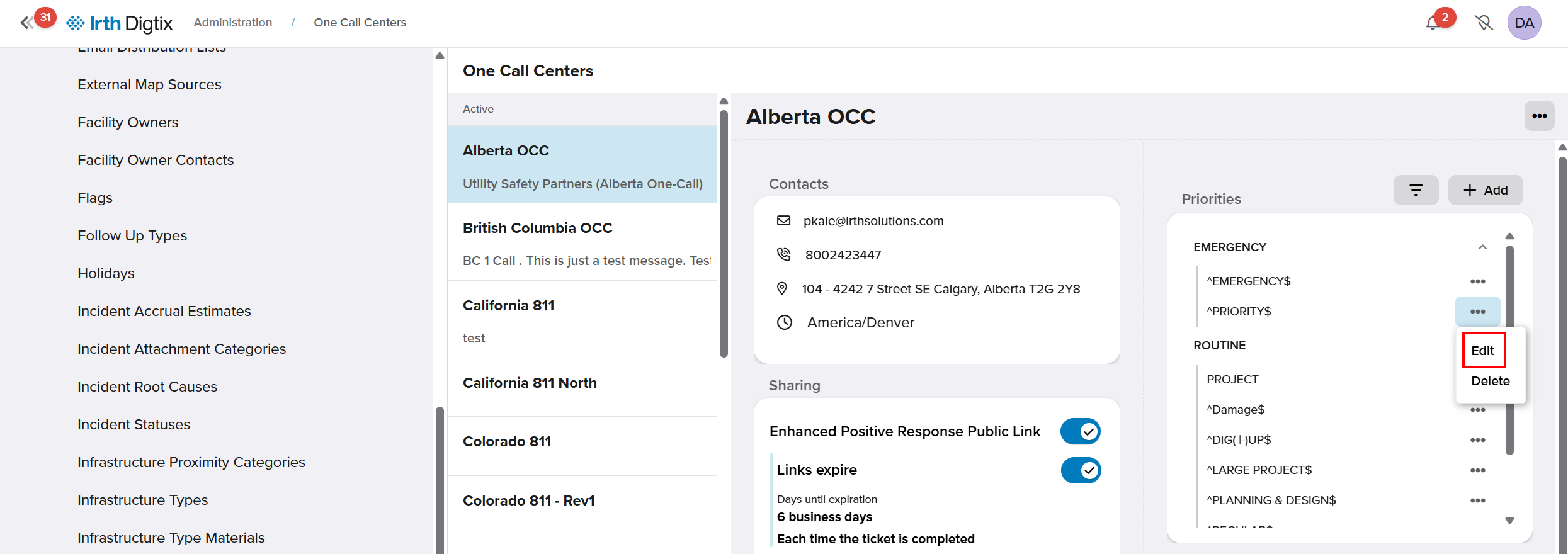
- Select the incoming Request Type from the call center.
- Assign the appropriate Internal Priority.
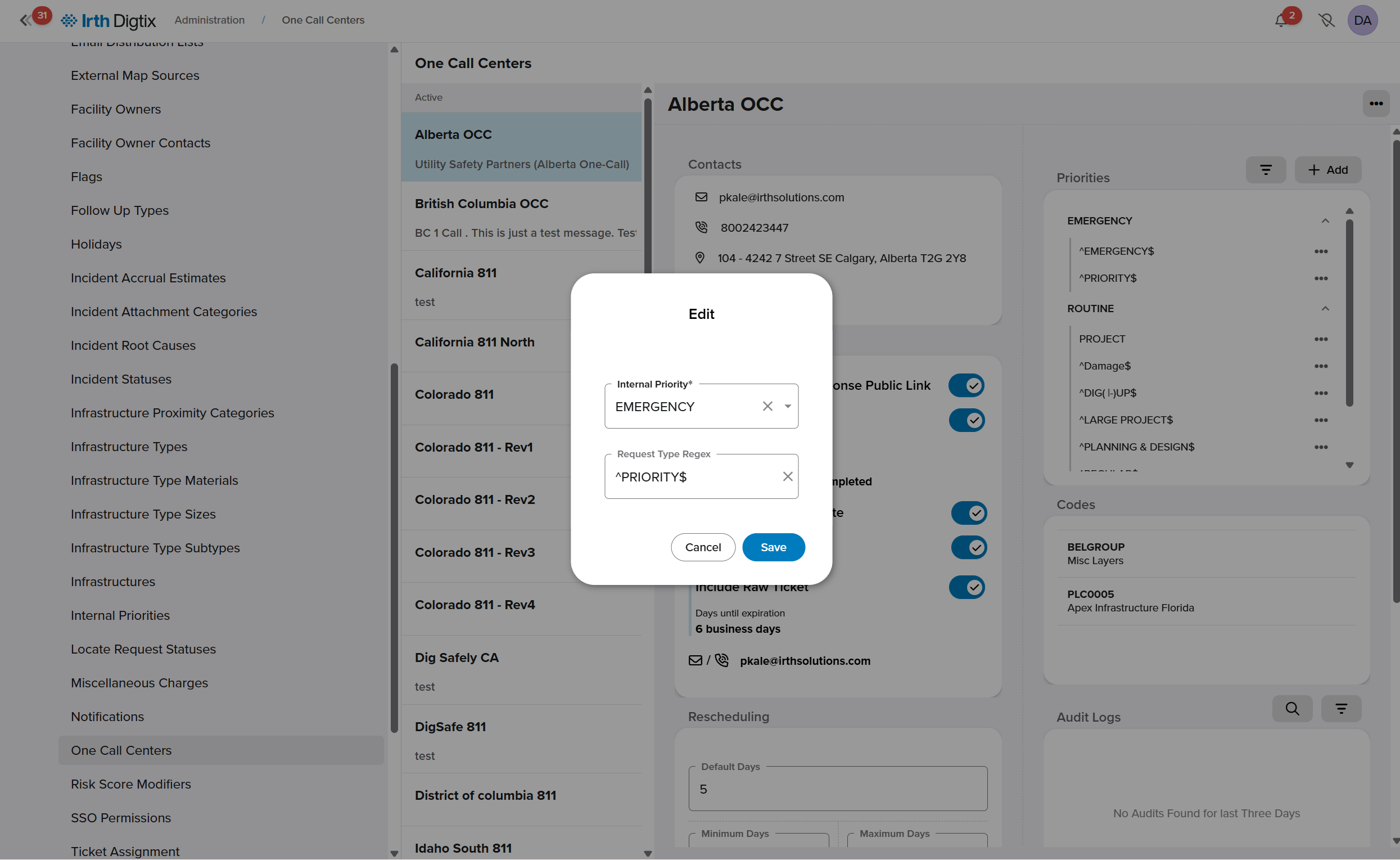
- Click Save to save the mapping.
Mappings can be updated at any time to accommodate new Request Types or operational changes.
Use Priorities Throughout Digtix
After mapping is complete:
- Each locate request is automatically assigned an Internal Priority.
- Both Request Type and Internal Priority are visible in the ticket grid, data exports, and reports.
- Internal Priorities are used in alerts, automated ticket assignments, and workload management rules.
FAQ/Troubleshooting:
Q: Why do Request Types look different from state to state?
A: Each One Call Center defines its own Request Types and ticket formats. Digtix preserves these values while translating them into consistent Internal Priorities.
Q: Can I change a mapping after it’s created?
A: Yes. Request Type to Internal Priority mappings can be updated at any time from the OCC Priority Mappings page.
Q: Are Internal Priorities used for more than locate requests?
A: Yes. Internal Priorities apply to multiple workflows in Digtix, including incidents, follow‑ups, alerts, automation rules, and reporting.
Questions? Contact us!

Was this article helpful?
That’s Great!
Thank you for your feedback
Sorry! We couldn't be helpful
Thank you for your feedback
Feedback sent
We appreciate your effort and will try to fix the article